12 min read
How to build a modern small-business tech stack
Email, invoicing, Excel, WhatsApp: your business already has a tech stack, it just grew by itself. What a stack is, why a few well-connected tools beat all-in-one, and where to start.
What is a tech stack?
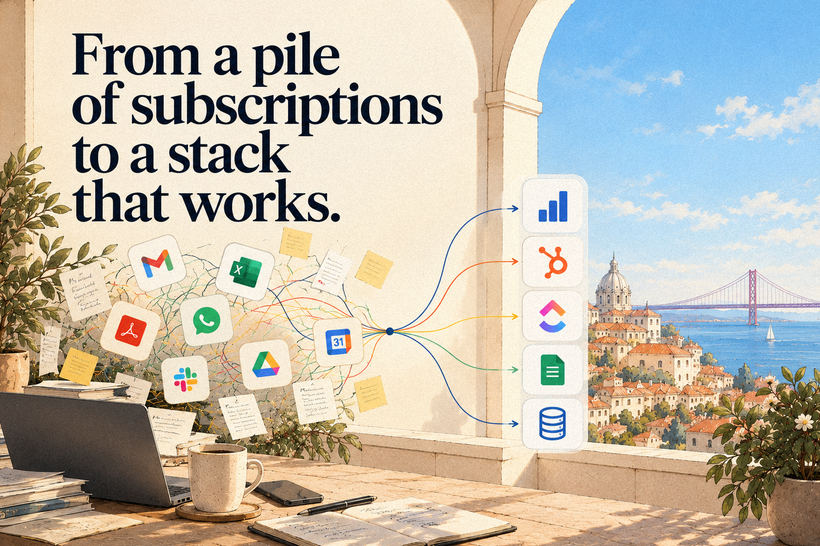
A tech stack is the set of software a business runs on, together with the connections between the pieces. Email, the invoicing software, the spreadsheet of clients, the website, WhatsApp: all of it together is the stack.
Your business already has one. It has had one since the day someone set up the first email address and opened the first spreadsheet, and it has been growing by itself ever since, one tool at a time, each bought to solve the problem of that particular week. (Most companies inherit the stack they have.) This piece is about the other option, which is to choose it.
The word comes from software engineering, where engineers stack layers of technology under a product, and it now covers the everyday tools of any company, small or huge. Most are sold today as software as a service (SaaS): you pay by the month, open it in a browser, and the servers are the vendor's problem.
One question separates a stack from a pile of subscriptions: where does each fact live? A client's phone number should have one official home (engineers call it the system of record). In a typical small firm it has four: the inbox, the spreadsheet, the salesperson's WhatsApp and the invoicing software. Which of them has the right number?
Why is a composable stack of best-of-breed tools better than a monolithic one?
A composable stack is made of specialist tools, each the best in its category (that is what best-of-breed means), connected so that any piece can be swapped. A monolithic solution is the opposite: one product, from one vendor, that promises to do everything. For most small businesses the first one wins, because each job gets a tool built for it and one piece can be replaced without bringing the house down.
Think of a kitchen. The monolithic solution is the all-in-one machine that chops, cooks, kneads and weighs, does everything reasonably well and, on the day it breaks, leaves the house without dinner. The composable stack is the worktop with a good knife and a good oven, from different makers, replaceable one at a time. In software the machine goes by names like Zoho One or Odoo, suites that cover sales, invoicing, projects and marketing in a single product. The worktop is HubSpot for clients, ClickUp for tasks and 1Password for passwords, each chosen for being good at its job.
That is the textbook answer, and it comes with a condition. The idea was born in large companies, which suffer from excess: in Salesforce's 2026 survey of organisations with at least 1,000 employees, the average is 957 applications each. (Nine hundred and fifty-seven.) A firm of twelve people lives in a different world. According to Eurostat, in 2025 only 25% of small enterprises in the European Union (EU), those with 10 to 49 people, used a CRM, the software that keeps a record of every client (the letters stand for customer relationship management), against 65% of large ones.
The small firm has the opposite problem, too few tools, with Excel and WhatsApp filling the holes. Its monolith, in Portugal, tends to be the invoicing software, asked to be the whole company's memory.
The vendors of all-in-one platforms say the age of specialist tools is over, and they are partly right. Every extra tool is another monthly bill, another password and another place where a client's record can go stale. Eight good tools that never talk to each other serve a firm worse than one mediocre suite. My conclusion is that composable wins on three conditions: few tools, one home for each fact, and every tool chosen for how well it talks to the others. In a firm of five, the whole stack can be Google Workspace, the invoicing software and one tool for the trade. That is enough.
Why is integration the most important part of a stack?
Integration means the same fact is correct in every tool where it appears, without anyone typing it twice. It is the most important part of a stack because time and money are lost in the gaps between tools, far more than inside them.
Follow a request for a quote through a firm with no integration. The website form sends an email, someone copies the name and phone number into Excel, the salesperson writes the quote in a document and chases on WhatsApp from a personal phone. When the client accepts, the office types the same details into the invoicing software, and at the end of the month the accountant asks for all of it again. Three people typed one client four times, and if the salesperson changes jobs, half the story leaves with them.
Now the same request with the tools connected. The form creates the client's record in the CRM, the quote is produced from that record, the WhatsApp conversation is stored in it, and when the client accepts, the invoice appears with nobody copying anything. The client typed their details once.
There are four ways to connect tools, from the easiest to the most laborious. A native connector is a switch in the settings, because the vendor has already done the work. Automation platforms (Zapier, Make, n8n) run on rules such as "when this happens there, do that here". The API (application programming interface) is a program's service door, through which other programs come in to read and write data, usually with a developer's help. The newest is the Model Context Protocol (MCP), an open standard introduced by Anthropic in November 2024, which gives that same door to an artificial intelligence (AI) assistant such as Claude or ChatGPT.
Integrating and automating are different jobs, and the order matters. Integrating puts the right data in every tool; automating makes the steps run without a person. Automate on top of disconnected data and you get to be wrong faster. Connect first, automate second, AI third.
This is where AI joins the conversation. An assistant can only work with what it can reach, and if a client's phone number lives in four places, the AI will find four phone numbers. In July 2026 InvoiceXpress, a certified Portuguese invoicing program, launched an MCP server included in every plan, which made it possible to ask an assistant in plain language to issue an invoice (at first, with Claude only). The first question to put to a software salesperson has changed. Before "what does it do?", ask "does it have a door?".
Connections are work too. Each one can fail without warning, so someone has to own it, and automation platforms charge by the task. An assistant with the door to your invoicing open is a serious matter: the MCP specification itself requires the user's explicit consent before each action, and my advice is to start with permission to read and nothing else.
At an ornamental-tree nursery I ran a growth engagement for, the rule that went into the plan was three words long: "function, not platform". First you say what job needs doing, then you pick the tool.
My own stack follows the rule, and it is the stack of a one-person business. Google Workspace handles email and documents, 1Password keeps the passwords, Cloudflare protects the site, ClickUp organises the tasks, and Claude is the everyday AI assistant (with ChatGPT and Gemini for a second opinion). The form on this site creates a task in ClickUp without my copying anything, and an AI agent drafts articles through the site's own API, where every piece is born as a draft (I told that story in handing the blog's keys to an agent).
What are the most important components of a small-business stack?
The core of a small-business stack has three components: the workspace (email and documents), certified invoicing software, and the CRM. The rest comes in as the business requires: website, messaging, task management, marketing, payments, a knowledge base, AI assistants, security and, often, one tool specific to the trade.
The core
The workspace is email on the company's own domain, the calendar, documents and video calls. In practice, Google Workspace or Microsoft 365. It is also the key that opens almost every other tool, and every business needs one.
Invoicing software issues invoices and reports each one to the tax authority. It is the one component where the state is in charge: in Portugal, a business that sold more than €50,000 in the previous year is required to use a certified program, such as InvoiceXpress or Moloni. Its older sibling is the ERP (enterprise resource planning) system, which keeps invoicing, stock, purchasing and accounting in one database and suits firms with a warehouse or a factory (Primavera, PHC and Odoo are common names).
The CRM is where clients live: one record per client, with every conversation, quote and deal inside it. HubSpot, Pipedrive and Zoho CRM are the best-known examples. You need one if you send quotes, have clients who come back, or sell to other businesses. It is the piece missing from three in every four small European firms.
What grows with the business
The website is the front door, built on WordPress, Shopify or (in my case) Wagtail, and its form should write straight into the CRM. Between the site and the visitor sits a service such as Cloudflare, which looks after the domain, speeds up the pages and stops attacks and spam. An analytics tool such as Plausible or Google Analytics shows which pages bring requests in.
Messaging is the shared inbox, the phone and WhatsApp. In Portugal, as in Brazil, clients write on WhatsApp whether the firm likes it or not, and WhatsApp Business has an API that moves those conversations from the salesperson's phone into the client's record.
Task management (ClickUp, Asana, Trello) is the list of who does what by when, visible to everyone, and starts to make sense from about three people. A marketing platform (Mailchimp, Brevo) sends email to lists of clients drawn from the CRM, which suits firms whose clients buy again. Payments means payment links, cards and bank movements matched against the invoices (Stripe, or MB Way in Portugal).
What holds it together
The knowledge base is the folder where it is written down how the company works and what it sells, kept up to date (in Google Drive, in Notion, or in plain text documents). I call it the source of truth, and it is what AI needs to answer with the company's own facts.
AI assistants (Claude, ChatGPT, Gemini) are the newest piece of the stack. They write, summarise, analyse and, more and more, act inside the other tools, provided those tools have a door. The integration layer described above is what lets them in.
The security baseline is a password manager such as 1Password or Bitwarden, two-factor authentication, backups and a checklist for the day someone leaves. That last one is always left undone: in BetterCloud's 2026 report, 18% of organisations had suffered a data breach through someone who had already left and still had access.
That leaves the tool of the trade: the appointment book of a clinic, the point of sale of a shop, the reservations of a guest house. It is often the real home of the business's data, and the first place worth checking for a door.
How do you start building a stack?
On paper. That is how I start with any client: before talking about tools, I listen to the people who work there, one by one. On a sheet of paper, follow one client and one euro through the business, from the first conversation to the money in the bank, and note every place where the same information gets typed. The result is the map of the stack the company has (for many owners, it is the first time they see it drawn). Then give each fact a home, and only then is it worth looking at tools.
Portugal's calendar even helps. On 8 October the 2027 State Budget proposal postponed the new electronic invoicing rules again: if parliament approves it, invoices sent as PDF files (the document format everyone attaches to an email) remain valid until 31 December 2027. That is one more year to connect invoicing to the rest of the company.
Pick one client from last month. How many times did someone in your company type their name?
Glossary
- Tech stack: all the software a business runs on, plus the connections between the tools.
- SaaS (software as a service): software paid for by the month and used in a browser.
- Best-of-breed: the strongest specialist tool for a single job.
- Composable: made of tools that can be replaced one at a time.
- Monolithic, or all-in-one: one vendor's product covering many jobs.
- System of record: the official home of a given fact.
- Integration: keeping the same fact correct in every tool, with no retyping.
- Automation: steps that run without a person.
- API (application programming interface): the documented way for one program to read and write another's data.
- MCP (Model Context Protocol): the open standard through which AI assistants use external tools and data.
- CRM (customer relationship management): one record per client, with the whole history attached.
- ERP (enterprise resource planning): invoicing, stock, purchasing and accounting in one database.
- Lock-in: the cost of leaving a vendor. In the EU, the Data Act has given customers the right to switch cloud services since 12 September 2025, and bans charges for the switch from 12 January 2027.